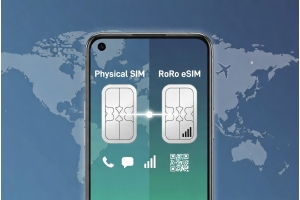
Traveling to China in 2026 requires reliable mobile data for WeChat, Alipay, Didi ride-hailing, Meituan food delivery, navigation, and staying in touch. RoRo eSIM (https://roroesim.com/) offers one of the simplest and most effective solutions, providing data-only eSIM plans with strong coverage across Mainland China, Hong Kong, and Macau.RoRo works through partnerships with major local operators (China Mobile, China Unicom, etc.), delivering fast 4G/5G speeds in cities, high-speed trains, and many rural areas. Its plans help bypass many Great Firewall restrictions, allowing smoother access to WeChat Pay, Alipay (including foreign card binding), and essential apps.
Recommended RoRo China Plans for 20265 GB / 30 Days – Good for moderate use
10 GB / 30 Days – Most popular for tourists and short-term visitors
20 GB / 30 Days – Ideal for longer stays or heavier data needs
Unlimited-style plans (with fair-use policy) – Best for digital nomads and heavy users
All plans support hotspot sharing, so you can connect your laptop or share data with travel companions.Step-by-Step China eSIM Setup Guide1. Purchase Your Plan Before Travel
Visit https://roroesim.com/ and select a China-specific or Asia-inclusive plan. Complete payment and receive the QR code and activation details instantly via email or in the “My SIMs” section.
2. Install the eSIM Profile (Before Arrival)
Make sure your phone supports eSIM (iPhone XS or newer, recent Samsung/Google Pixels, etc.). Check compatibility by dialing *#06# — an EID number should appear. On iPhone: Go to Settings > Cellular > Add eSIM > Use QR Code (scan) or Enter Details Manually.
On Android: Go to Settings > Network & Internet > SIMs > Add eSIM > Scan QR code.
Install on stable Wi-Fi at home or during your flight. Label the line “RoRo China” for easy identification. Do not turn it on yet.
3. Activate Upon Arrival in China
After landing (at Beijing, Shanghai, Guangzhou, or any major airport): Go to Settings and select the RoRo eSIM line.
Turn on Mobile Data and Data Roaming (this is crucial for connecting to Chinese networks).
Set RoRo as your primary data line if using dual SIM.
The plan activates automatically when your phone connects to a supported network. Validity starts only upon first use in China.
4. Verify and Optimize
Open WeChat or Alipay to test. Data should work immediately for payments, maps, and messaging. Monitor usage in the RoRo dashboard and top up if needed. Use apps like Google Translate offline as backup.Important Tips for China in 2026Install the eSIM before departure to avoid any airport Wi-Fi issues.
Enable Data Roaming — this is the most common reason for “no service” after arrival.
RoRo is data-only: Keep your home SIM for international calls/texts if needed.
No ID verification or passport registration is required with RoRo.
24/7 support is available via chat, WhatsApp, or email if you encounter any issues.
With RoRo eSIM, you avoid long queues at Chinese airports, expensive local SIM setups, and unreliable VPNs. Whether you’re visiting for business, tourism, or study, this setup guide ensures you stay connected from the moment you land.Buy your plan, install early, and enjoy seamless access to WeChat, Alipay, and everything China has to offer in 2026.