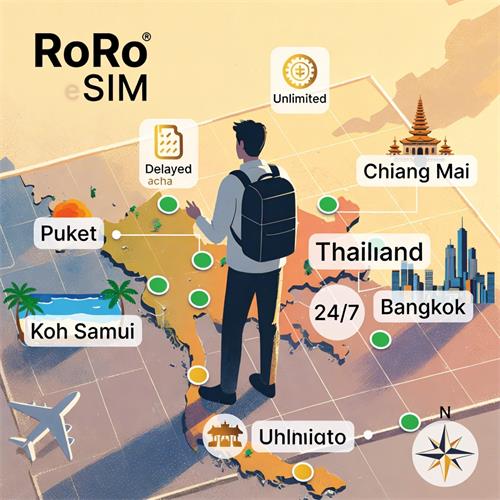
Roro Thailand eSIM Setup Guide for TravelersThailand's vibrant streets, beaches in Phuket and Koh Samui, temples in Chiang Mai, and bustling Bangkok demand reliable connectivity for navigation, ride-hailing (Grab), food delivery, social sharing, and staying connected. RoRo eSIM offers a hassle-free, data-only solution with strong coverage across Thailand via partnerships with major local operators (like AIS, TrueMove, or DTAC equivalents), delivering fast 4G/5G speeds in cities, islands, and rural areas alike.
RoRo's Thailand plans suit every traveler: short getaways to extended adventures. Options include fixed-data tiers for predictable use and unlimited-style plans (with fair-use policies for sustained high speeds) for heavier needs like streaming or remote work. Popular packages:1 GB / 7 Days – $3.00: Ideal for quick trips with light browsing and maps.
3 GB / 20 Days – $7.00: Great for 2–3 week vacations covering social media and occasional videos.
5 GB / 30 Days – $10.00: Balanced for month-long stays or families.
10 GB / 30 Days – $17.00: Perfect for digital nomads or photo-heavy travelers.
20 GB / 30 Days – $30.00: Top choice for power users with hotspot sharing.
Unlimited variants provide worry-free data for intensive use, with easy top-ups via the RORO App or "My SIMs" dashboard if needed.Step-by-Step Setup Guide for TravelersPurchase Your Plan Before Travel
Visit https://roroesim.com/ and select Thailand (or Asia-inclusive) plans. Choose based on duration and data needs. Complete payment—receive QR code and manual details instantly via email or "My SIMs" section.
Install the eSIM Profile (Do This on Wi-Fi Before Arrival)
Ensure your device supports eSIM (iPhone XS+, recent Androids—dial *#06# to check for EID). iPhone: Settings > Cellular (or Mobile Data) > Add eSIM > Use QR Code (scan from screen/email) or Enter Details Manually (SM-DP+ address/activation code). Label it "RoRo Thailand."
Android: Settings > Network & Internet > Mobile Network/SIM Manager > Add eSIM > Scan QR or enter manually. Confirm installation.
Keep it inactive—no need to enable yet to preserve validity.
Activate Upon Arrival in Thailand
After landing (Suvarnabhumi, Phuket, Chiang Mai airports): Go to Settings > Cellular/Mobile Network > Select RoRo line.
Turn on Mobile Data and Data Roaming (essential for partner networks).
Set as primary data line if using dual SIM (keep home SIM for calls/texts).
The plan activates automatically on connecting—no kiosks or ID checks. Validity starts here, maximizing your days.
Verify & Optimize
Test with Maps, Grab, or Line—data should flow immediately. Monitor usage in RoRo's dashboard for real-time tracking and top-ups. Hotspot sharing works for laptops or friends.
Tips for Smooth Thailand ConnectivityInstall on stable Wi-Fi pre-trip to avoid airport issues.
Enable roaming—common fix for "no service."
For islands/rural areas, RoRo's local network partnerships ensure better reach than some competitors.
Data-only: Use apps for communication; 24/7 support (chat/WhatsApp/email) helps if needed.
RoRo skips airport SIM lines, expensive roaming, and VPN hassles—buy online, install early, arrive, enable—and dive into Thailand's adventures seamlessly. Sawasdee ka!